FEATURE: SUGGEST TEXT EDITS ✏️

Give copy feedback directly
on the page

The fastest way to give copy feedback on a website. Highlight any text. Suggest replacement. Done.
Copy changes are the most common feedback on any web project. Now clients and teams can highlight text on the page and type what it should say instead – no emails, no screenshots, no “you know the paragraph near the top.

Join 10,000+ companies, 350,000+ users across 172 countries.

arrow icon

Highlight any text to suggest a change

Highlight any text on the page and a “Suggest edits” tooltip appears instantly. Click it, type your replacement, and submit. That’s it.
image of customer
Teylor S

Chief of Operations

icon of review source

“A click and comment tool that has immensely helped our agency's workflow!”

BugHerd captures the original text for you

No need to describe which text needs changing or where it lives. BugHerd automatically captures the original text the moment you highlight it. All anyone needs to do is type what it should say instead — no technical knowledge required.
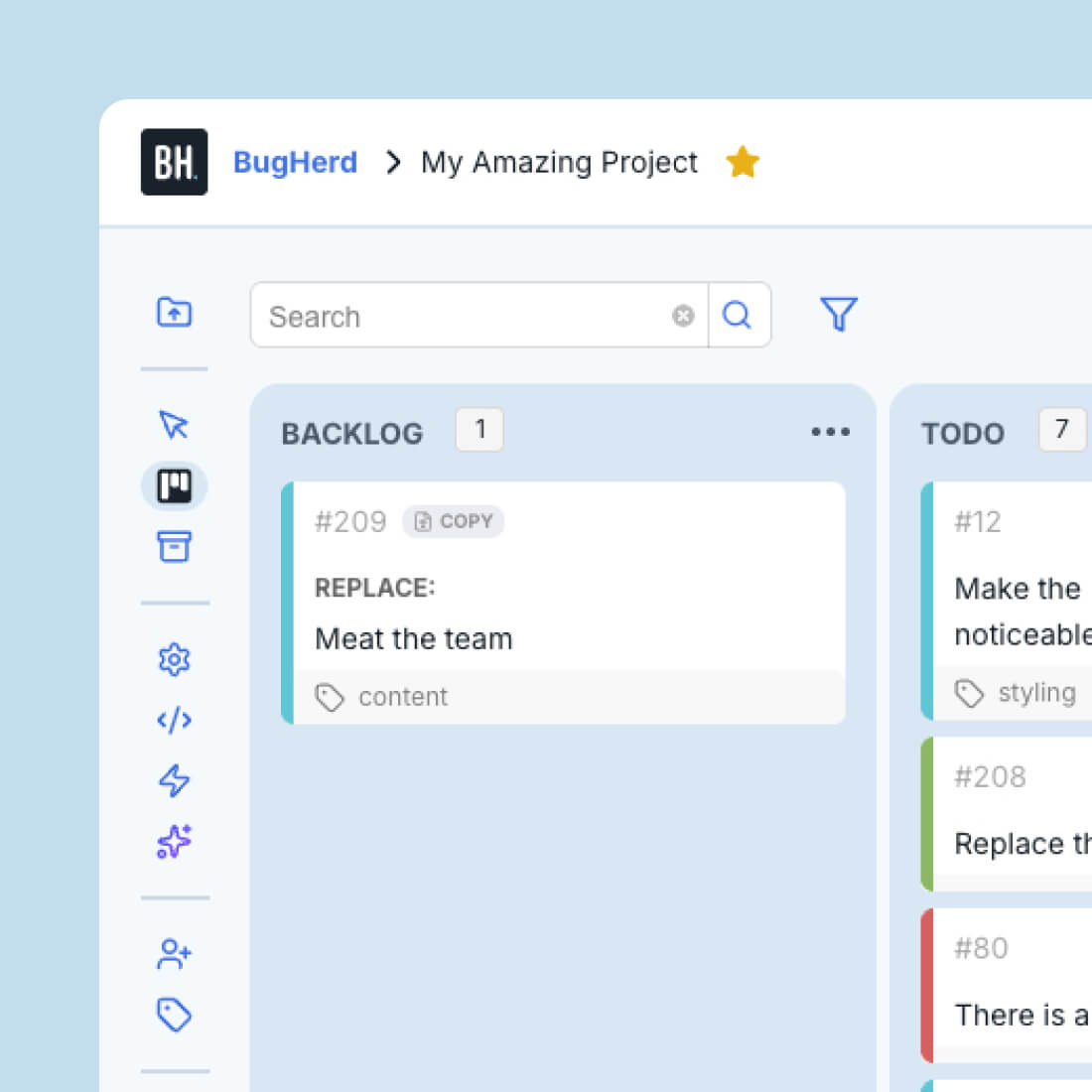
suggest text edit feedback in the task board

Every suggestion becomes a clear task

Every text edit lands on the in-built task board as a before-and-after. Your team sees the original text, the suggested replacement, and exactly where it lives on the page — all without a single follow-up question.
Find out more

How to suggest text edits with BugHerd

1

Highlight any text on the page. A “Suggest edits” tooltip will appear — or use the Suggest Text Edit button on the sidebar.

2

Type your replacement. Hit Tab to pre-populate the original and edit from there.

3

Submit. BugHerd logs it as a task, pinned to the right place on the page.