

Your AI agent and BugHerd can now talk to each other, helping you to triage and resolve your website feedback queue by actually making changes directly in your codebase, CMS or design tool.
You then review the changes - job done. Works across the whole agency – developers, designers, project managers, and account managers. Connects with every major AI coding tool and agent including Claude Code, Cursor, ChatGPT and more.









Monday morning.
15 tasks came in over the weekend.

"Work through the open tasks on the Henderson project."
Your AI coding agent:
✓ 15 tasks. One prompt.
TRIAGE. RESOLVE. PREVIEW.
Your AI agent triages the feedback queue and resolves the tasks. You review what it's done. That's the new agency workflow – less sorting, less switching, more time on the work that actually needs you.

Chief of Operations


“A click and comment tool that has immensely helped our agency's workflow!”
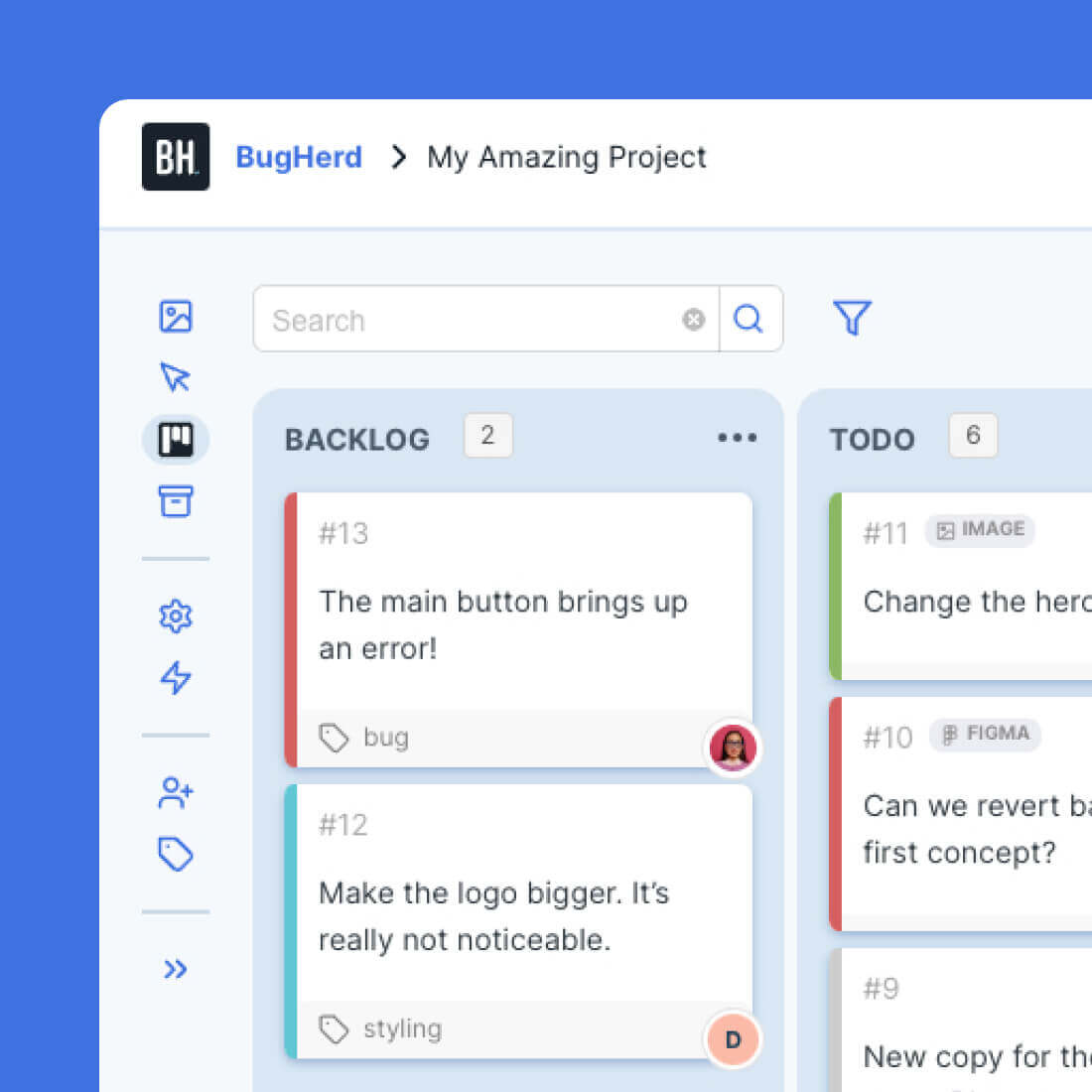
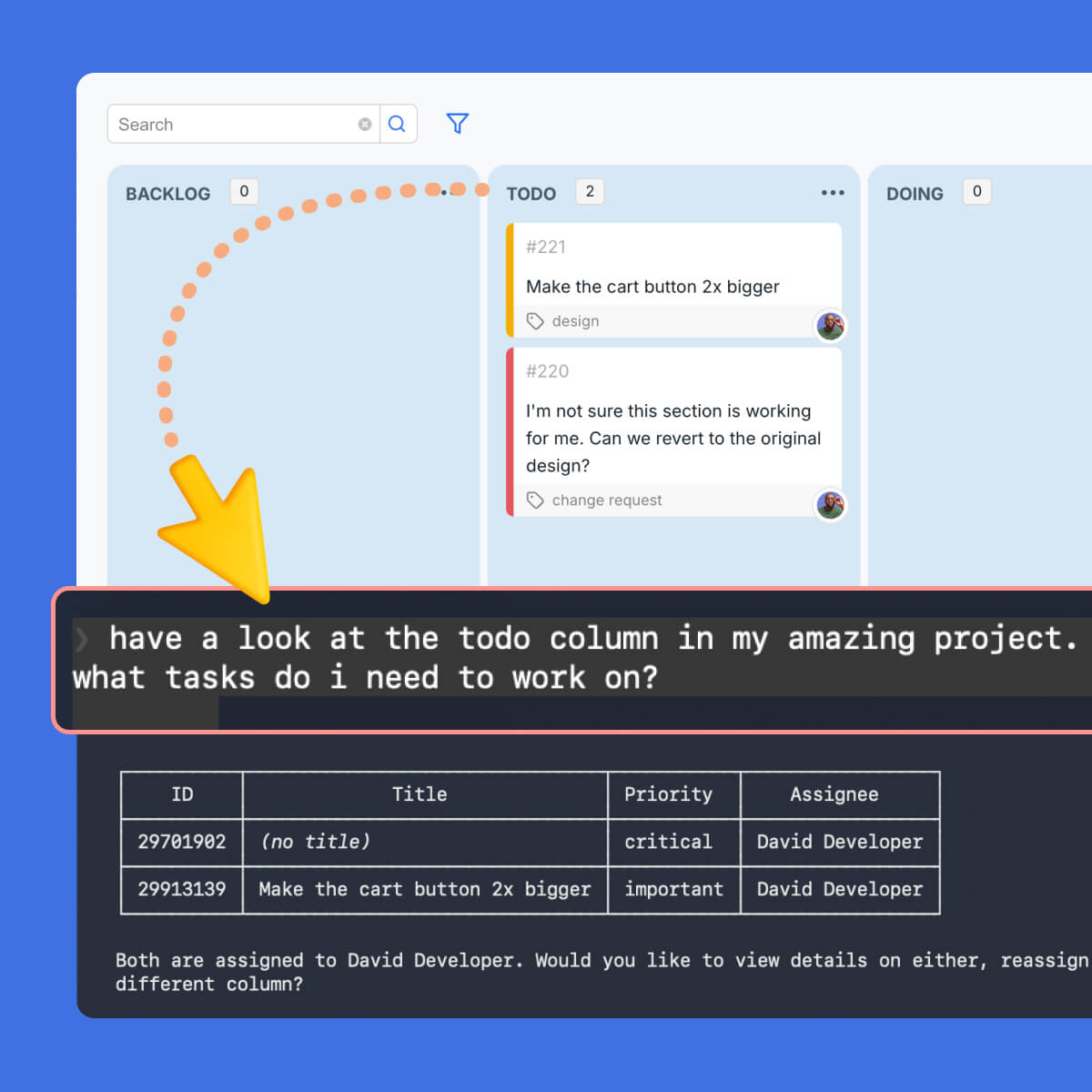
Your AI reads every client comment, screenshot, recording, URL, and full context – making any changes right in your codebase, CMS or design tool.
BUILT FOR WEBSITE DEV AGENCIES
BugHerd MCP plugs into how your whole team already works. From the developer clearing the revision queue to the agency owner getting visibility across every active project.

Clear the revision queue
"Work through the open tasks on the Henderson project."
That's the whole prompt. The AI lists open tasks, reads each client comment, pulls the screenshot or recording, triages each task, marks it done, and posts a summary comment; keeping the board clean and nothing gets missed. You review what it's done.
The revision round that used to eat Monday morning is handled before the first coffee.

Visual feedback without
back-and-forth
"Apply the outstanding visual feedback on the Acme project."
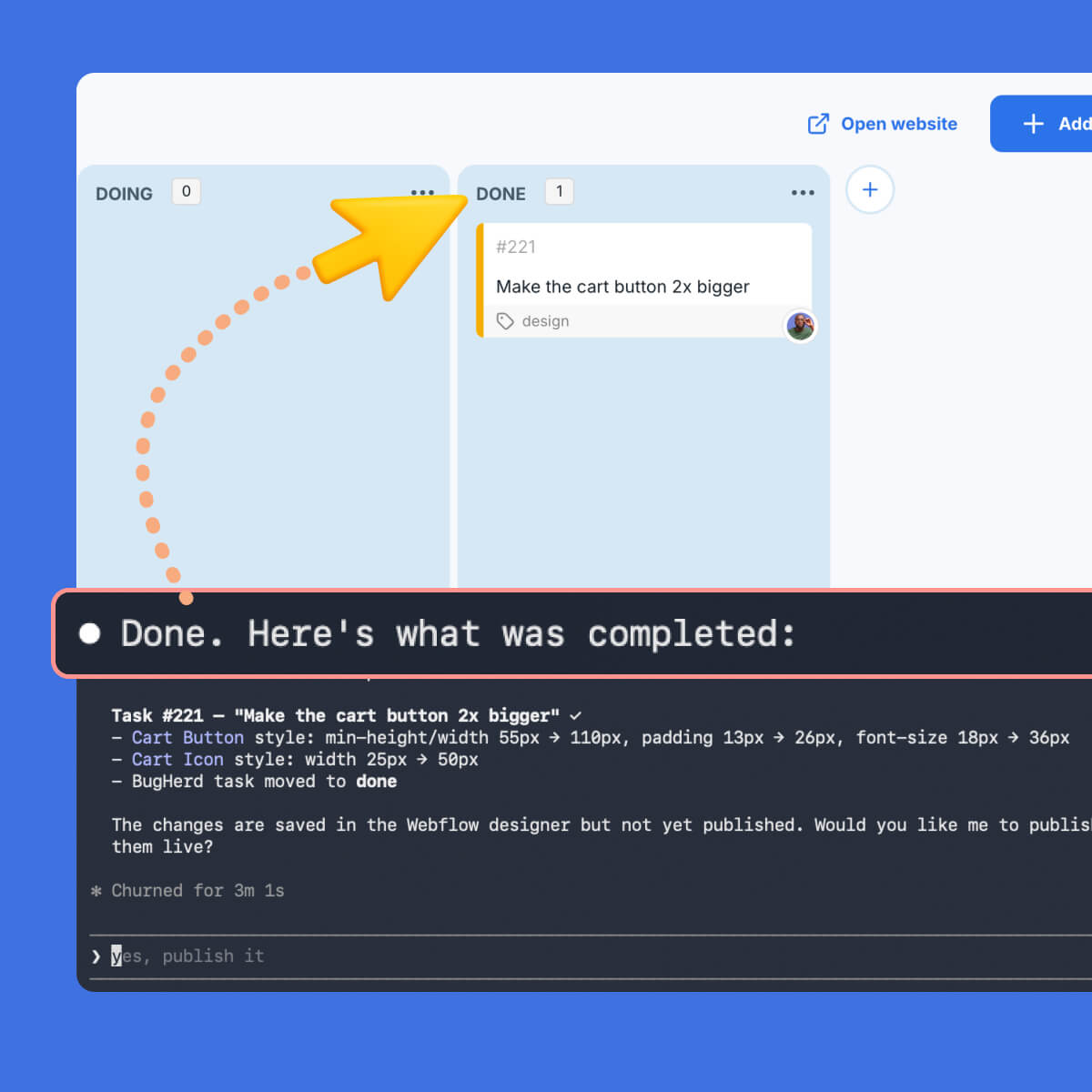
Pair BugHerd MCP with Webflow MCP or Figma MCP. The AI reads the visual feedback tasks (spacing tweaks, colour changes, layout adjustments, copy swaps) and queues them up for action in Webflow or Figma. Each task gets marked done and commented with what changed.
You review before anything goes live.

Triage 30 client comments in minutes
"Show me all new feedback across active projects. Group by type, assign to the right people, flag anything needing client clarification."
The AI reviews all open tasks, categorizes by tag (content, design, bug, question), assigns to the right team member, flags anything stuck, and moves completed items to Done with an internal note.
Manual triage that used to take an hour, now takes a prompt.
Client update in two minutes
"Summarize what we completed for Acme this week, what's still open, and what we need from the client."
The AI reads completed and open tasks, summarizes progress, drafts the client update, and posts it back into BugHerd as a comment.
What used to take thirty minutes of digging now takes two. And because it uses the client visibility flag, internal notes stay internal.

Visibility across every client project
"Which projects have the most unresolved feedback? What's overdue? Who's carrying the heaviest workload?"
For agency owners and delivery leads, BugHerd MCP becomes a delivery visibility layer. Pull a cross-project status in seconds, without asking the team for updates or building a separate report.

Brief to BugHerd before the call ends
"Set up BugHerd for the new Acme project based on this brief."
Hand the AI the project brief. It creates the BugHerd project, sets up the initial task structure, and logs the first round of tasks, ready for the team before the kickoff call ends.
No blank-slate admin, no manual setup.
WHAT YOUR AI AGENT RECEIVES
The moment a client leaves feedback in BugHerd, your AI agent has everything it needs to act. No briefing, no copy-pasting, no explaining the context. It's all already there.

Verbatim, in plain language, plus any attachments.

Exactly what the client saw on the page.

No guessing which route, template, or environment.

Version, resolution, window size, user agent.

Where the task is and how urgent.

The full task context.

What's internal vs client-facing.
Full history of what's already been said.
Note: You need to be subscribed to BugHerd before following the steps below.
Head to the Integrations screen inside your BugHerd project and follow the setup guide for your AI tool.
Connect BugHerd to the tools your team already uses. BugHerd MCP works with every major AI coding tool and agent: Claude Code, Claude AI, Cursor, ChatGPT, VS Code + Copilot, Windsurf, Codex CLI, Gemini CLI , Zed, Onyx AI and more. Setup takes under five minutes.
Prompt your AI in plain language. For example: "Work through the open tasks on the Henderson project." It handles the rest - you review what's done.
Once connected, your AI agent can read feedback, act on tasks, post updates, and build new projects - all using natural language.
get_task_detailslist_project_taskslist_my_taskslist_all_taskslist_projectsget_project_detailsupdate_taskadd_commentcreate_taskcreate_projectupdate_projectBugHerd MCP is live in beta and free for all users. Connect your AI tool in under five minutes and let it start working through your feedback queue today.
Get Started with BugHerd.
BugHerd offers a free 7-day trial where you can test every feature on your own site. No credit card is required to get started.
You can also book a 1:1 demo with a BugHerd product specialist to see exactly how BugHerd works, and how it fits into your agency's specific workflow.
Already a BugHerd customer?
Read the Setup Guide for help connecting BugHerd MCP.
And remember that you can always message our stellar Support team at support@bugherd.com
If you're not satisfied within 60 days of purchase, contact us and we'll refund your subscription.


